Interactive map systems

One map engine. Two sales experiences.

Estate Stack does not only map land. It maps property inventory. For large lifestyle estates, buyers explore roads, villages, plots and amenities. For apartments and mixed-use buildings, buyers move floor by floor and unit by unit.

Estate map
Plots, villages, roads, POIs and estate-wide availability.
Building map
0807060504030201
Floors, units, floorplans, prices and availability.
Choose the right visual layer

Estate map for land. Building map for vertical stock.

Both products solve the same commercial problem: buyers need to see what they are buying, and sales teams need live stock that stays connected to the CRM.

Estate map

For lifestyle estates, land developments and large precincts.

Use this when the buyer is choosing between stands, villages, views, roads, amenities and future phases across a larger estate.

  • Interactive masterplan
  • Plot / erf status and pricing
  • Villages, roads and amenities
  • POIs, lifestyle content and enquiry capture
Building map

For apartments, sectional-title and mixed-use buildings.

Use this when the buyer is choosing a floor, unit, orientation, view, apartment type, parking bay or commercial space.

  • Building overview by floor
  • Clickable floorplans
  • Unit status, price and size
  • Unit-specific enquiry capture
Estate map journey

The estate comes alive before the buyer phones.

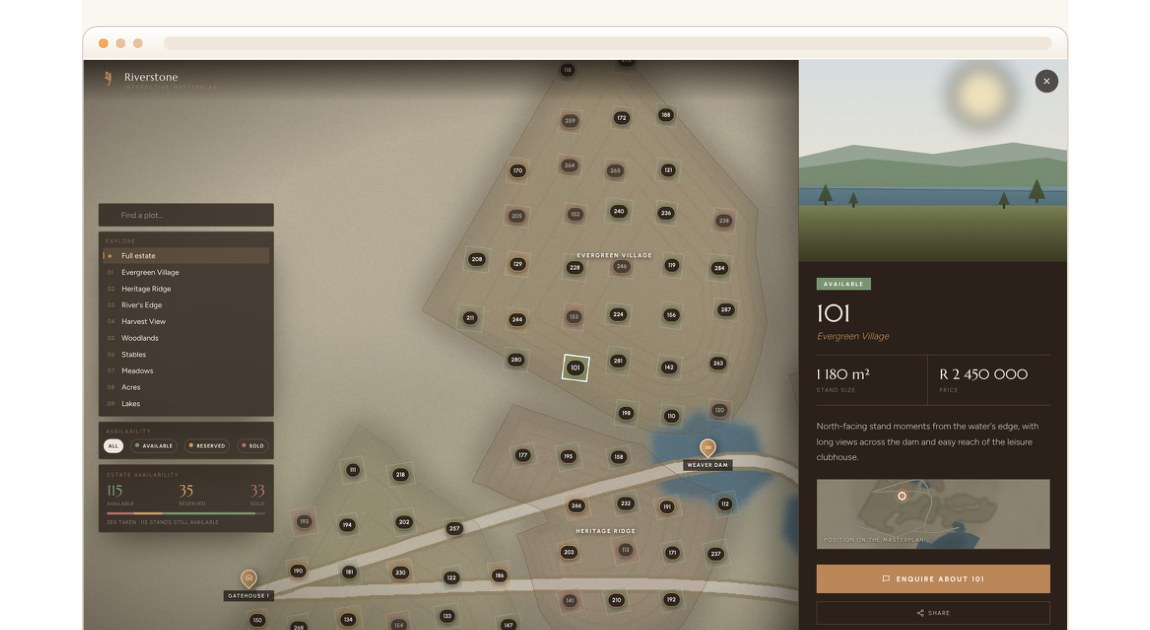
Buyers can browse the whole estate, filter villages and amenities, tap a stand, view its size and price, then enquire on the exact plot. The enquiry lands in the CRM already attached to plot, source and buyer action.

  • Status colours show availability at a glance.
  • Village and amenity filters help buyers navigate.
  • Plot panel carries price, size, media and enquiry action.
  • Every enquiry arrives tagged to the selected plot.
Estate map plot detail panel
Estate map: plot detail panel with availability, size, price, image and enquiry action.
Building ExplorerMulti-storey stock
87654321
Level 05

8 units

5 available · 2 reserved · 1 sold

Building map journey

The building becomes the navigation.

Instead of showing a flat apartment list, the buyer starts with the building, hovers over floors, opens a floorplan, then clicks a specific unit. This works for apartments, retirement blocks, commercial floors and mixed-use stock.

  • Floor-by-floor overview.
  • Clickable units on each floorplan.
  • Status, size, price, bedrooms and imagery per unit.
  • Unit enquiry flows into the same sales engine.
Live inventory
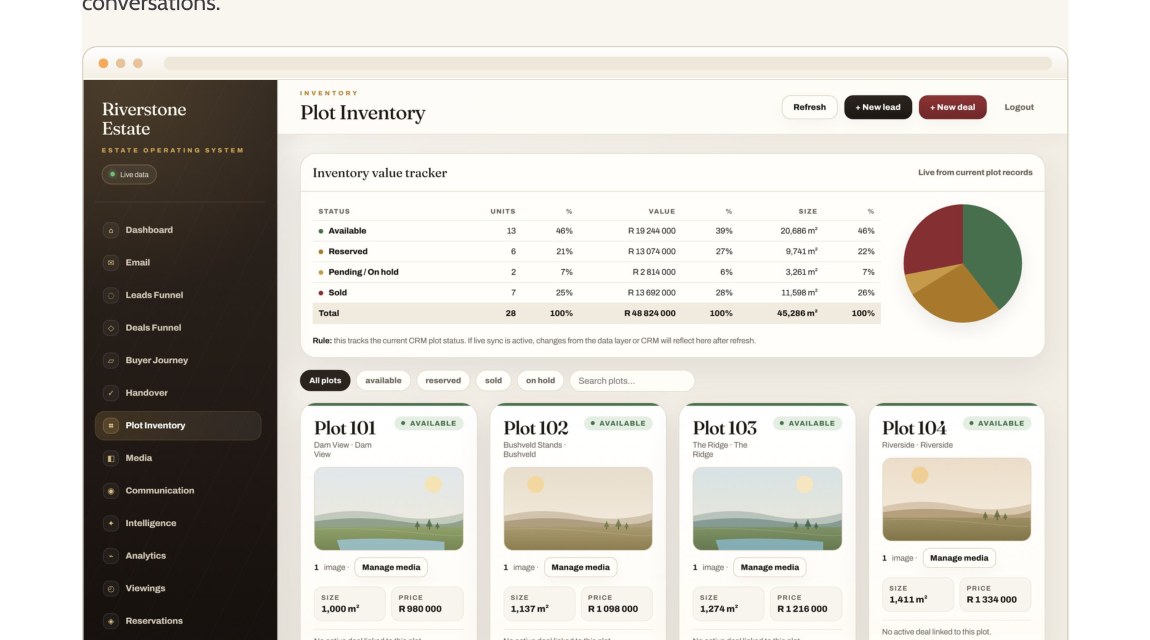
The private stock register controls what both map types display.
Live stock

Availability that is never wrong.

Whether the stock is a plot or an apartment, the status changes across the public map, website and team screens. No stale price lists. No double-sold units. No awkward conversations.

AvailableReservedSoldPending